

A credit utilization calculator shows what percentage of your available revolving credit you are using, both on each card and across all cards combined. Enter each card’s reported balance and credit limit below, and the calculator works out your per-card and overall utilization instantly, in your browser.
For the formula, reporting timing, and ways to lower your reported balance, read our credit utilization ratio guide.
Quick answer: Utilization = balance ÷ credit limit × 100. A $1,700 total balance against $10,000 of total limits is 17% overall — but scoring models can also look at each card individually, so one card at 90% can matter even when your overall figure is low. The Consumer Financial Protection Bureau (CFPB) notes experts generally advise using no more than 30% of your available credit; lower is generally better, and 30% is a ceiling to stay under, not a target to aim for.
Key Takeaways
- Check two numbers, not one: per-card utilization and overall utilization.
- Use the balance your issuer reports, which is often the statement closing balance — not necessarily today’s app balance.
- Your entries stay in your browser. This credit utilization calculator makes no external requests and stores nothing.
- A high balance on one card can matter even when your overall utilization is low.
- Paying before the statement closes can lower the balance that gets reported for that cycle.
- Utilization has no memory in most scoring models in the sense that it is recalculated from newly reported balances — but a pattern of high balances still costs interest every month.
Credit Utilization Calculator
Enter a balance and a limit for each card. Add or remove rows as needed. Results update as you type.
| Card | Balance ($) | Limit ($) | Utilization |
|---|
Total balances: — Total limits: —
Highest per-card utilization: —
Your entries stay in your browser. This calculator makes no external requests and saves no data.
How to Use This Credit Utilization Calculator
- Find each card’s reported balance and credit limit. Your latest statement is the most reliable source, because the balance on the statement is generally the balance reported to the credit bureaus for that cycle.
- Enter one row per card. Include every revolving card, even cards with a $0 balance — their limits lower your overall utilization.
- Read the per-card utilization for each row, then the overall utilization and the highest per-card figure in the summary box.
- If a figure looks high, use the guide below to decide on an action — a payment, an earlier payment, or a limit conversation — and re-run the numbers with the planned balance to see the expected result before you act.
The Formula
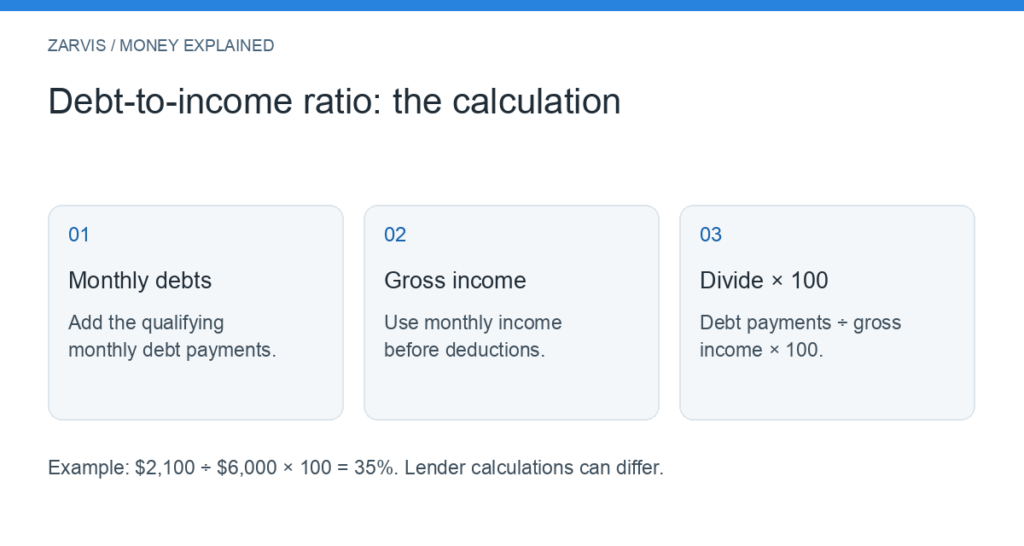
Per-card utilization = Card’s reported balance ÷ Card’s credit limit × 100
Overall utilization = Total of all reported balances ÷ Total of all credit limits × 100
Worked Example
Here is what the credit utilization calculator shows for a three-card wallet:
| Account | Reported balance | Credit limit | Individual rate |
|---|---|---|---|
| Card A | $500 | $2,500 | 20% |
| Card B | $1,200 | $6,000 | 20% |
| Card C | $0 | $1,500 | 0% |
| Total | $1,700 | $10,000 | 17% overall |
Overall: $1,700 ÷ $10,000 × 100 = 17%. Each card is also at or below 20%, so the per-card picture and the overall picture tell the same story here.
Now change one number. Suppose Card A instead carried a $900 balance on a $1,000 limit, while a second card showed $100 on a $4,000 limit. Card A alone is at 90%, yet overall utilization is ($900 + $100) ÷ ($1,000 + $4,000) × 100 = 20%. Someone checking only the overall figure would see 20% and miss the nearly maxed-out card. Scoring models may consider individual-card utilization as well as the total, as explained in our full credit utilization ratio guide — which is why this calculator reports both.
Assumptions and Limits
- Reported balances, not live balances. The result is only as accurate as the balances you enter. Issuers typically report around the statement closing date, and schedules vary, so a payment made today may not appear in reported figures until the next cycle.
- Revolving accounts only. This credit utilization calculator is for credit cards and similar revolving credit. Mortgages, auto loans, and other installment loans are evaluated differently by scoring models and are not included. If you are estimating a home loan payment, use our mortgage payment calculator instead.
- No score prediction. This tool calculates utilization percentages only. It does not and cannot predict a credit score or a score change; scoring models use many factors, including payment history and the age of your accounts, and exact model formulas are not public.
- Limits can change. An issuer can raise or lower a limit, which changes your utilization even if your balance does not move. Use the limits on your most recent statements.
- Rounding. Percentages are shown to one decimal place; totals are the exact sums of the figures you entered.
What to Do If Your Utilization Is High
Pay down the balance. This lowers the numerator directly. Targeting a nearly maxed-out card first can improve the per-card figure fastest; targeting the highest-APR card first usually saves the most interest. Both approaches are defensible — choose based on whether score timing or interest cost is the priority, and see how minimum payments are calculated if payments feel unmanageable.
Time a payment before the statement closes. A payment made before the closing date can reduce the balance reported for that cycle. Do not drain cash needed for essentials to do this; a lower reported figure is not worth a missed rent or insurance payment.
Ask about a higher limit — carefully. A larger limit lowers utilization if spending stays the same. Ask whether the request triggers a hard inquiry, and do not treat new headroom as a reason to spend more.
Avoid closing an unused card without checking the math. Closing a card removes its limit from your overall calculation and can raise overall utilization even though your debt has not changed. Run this credit utilization calculator both ways — with and without that card’s limit — before deciding. Parking spare cash where it earns interest while you decide, such as the type of account described in our high-yield savings account guide, is a separate question from closing a card; do not confuse the two.
Frequently Asked Questions
What is a good credit utilization rate?
The CFPB says experts generally advise keeping utilization at or below 30% of your available credit, and lower reported usage may be better for scores. Treat 30% as a ceiling rather than a goal, and remember that no specific percentage guarantees a particular score or result.
Should I keep utilization at 0%?
A 0% figure usually means every card reported a zero balance, which can happen if you pay in full before each statement closes. Some scoring models may treat a small reported balance slightly differently from all-zero reporting, but you never need to carry a balance or pay interest to show account activity — charges that are reported and then paid by the due date do not require paying interest.
Why does the credit utilization calculator’s result differ from my banking app?
Your app shows today’s balance; bureaus and scoring models use the balance your issuer last reported, often the statement closing balance. The two can differ by hundreds of dollars in a normal month. Enter the statement balance when you want the figure that matches what was reported.
Does utilization on one card really matter if my overall rate is low?
It can. Scoring models may review both overall and individual-card utilization, and a single card near its limit is also a practical risk: one unexpected charge can push it over the limit and trigger fees. The worked example above shows how a 90% card can hide inside a 20% overall figure.
How quickly will a lower utilization show up?
After your issuer reports the new balance and the bureaus update your file — commonly by the next statement cycle, though timing varies by issuer and bureau. There is no instant update, so plan ahead if a credit application is coming up, and do not assume a payment made this week is already reflected.
Bottom Line
Utilization is simple arithmetic with two views that both matter: each card on its own, and all cards together. Enter your statement balances and limits above, check the per-card column for any card near or over 30% as well as the overall figure, and use the result to decide your next payment. Recheck after each statement closes; a few minutes with this credit utilization calculator each month is enough to keep the number — and what it may be signalling to scoring models — in view.
Editorial note: Zarvis provides general educational information, not personalized financial, legal, or tax advice. This calculator performs arithmetic on figures you enter and produces utilization percentages only; it does not predict credit scores, and no utilization level guarantees a score change, approval, or any other outcome. Balances, limits, and reporting schedules vary by issuer — verify your figures on your own statements before acting on them. Your entries stay in your browser; this page’s calculator makes no external requests.
Last reviewed: October 2026 Author: Harsh Kardam
Sources
- Consumer Financial Protection Bureau: How do I get and keep a good credit score? https://www.consumerfinance.gov/ask-cfpb/how-do-i-get-and-keep-a-good-credit-score-en-318/
- Consumer Financial Protection Bureau: Does it hurt my credit to close a credit card? https://www.consumerfinance.gov/ask-cfpb/does-it-hurt-my-credit-to-close-a-credit-card-en-1231/
- myFICO: What should my credit utilization ratio be? https://www.myfico.com/credit-education/credit-scores/amounts-owed
- Federal Trade Commission: Free credit reports and understanding your credit. https://consumer.ftc.gov/articles/free-credit-reports

Pingback: Credit Utilization Ratio: Formula, Examples & How to Lower It
Pingback: Statement Balance vs Current Balance: 3 Helpful Payment Rules